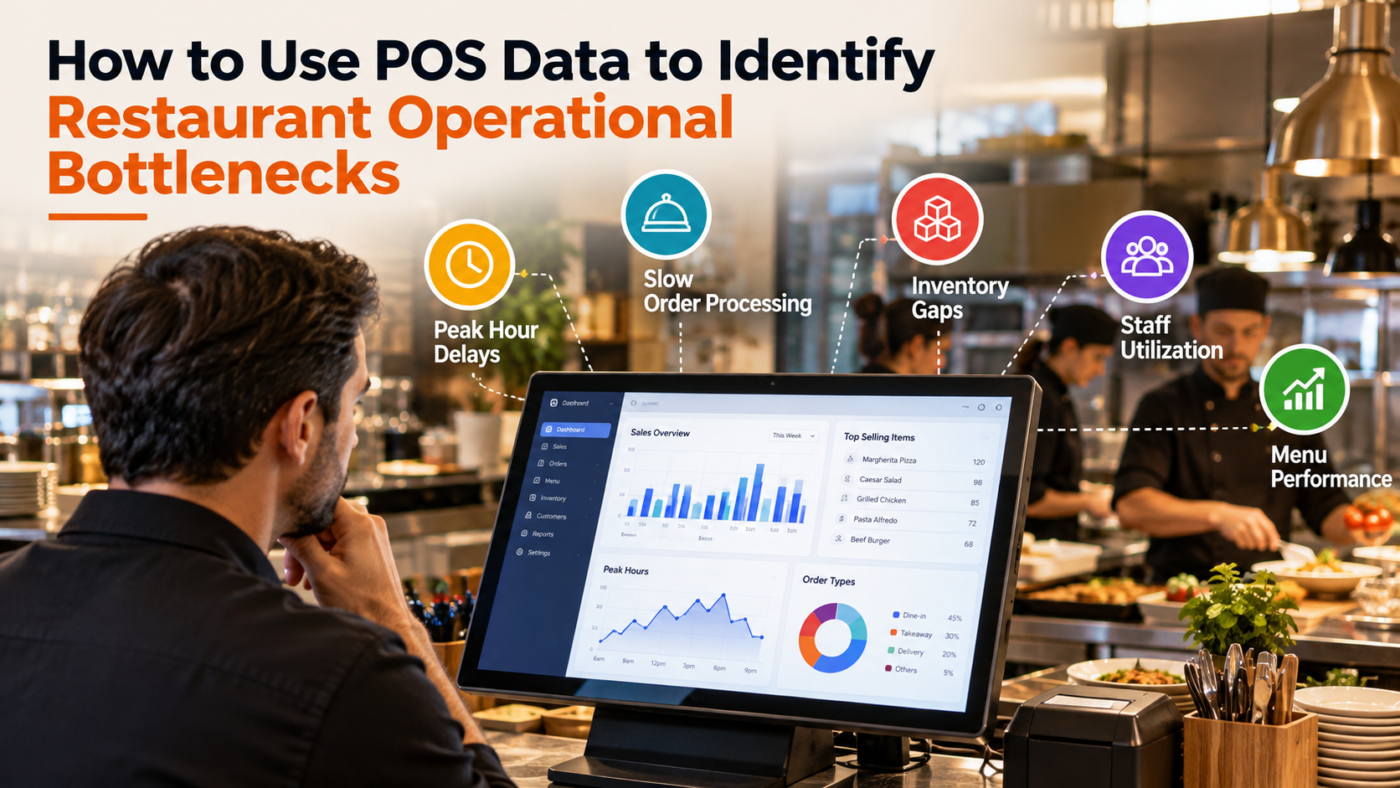
A busy restaurant does not always mean a well-run restaurant. Long queues, delayed orders, repeated voids, or slow tables can quietly drain revenue. With Aloha POS Software in Qatar, restaurant owners can examine sales and service data to find where operations are slowing down. But numbers only help when you know what to look for. This guide shows you how to turn everyday POS data into practical clues, spot operational bottlenecks, and decide what needs attention first. Keep reading to discover where the real problems may be hiding.
What Is a Restaurant Operational Bottleneck?
A restaurant operational bottleneck is a point where work slows because one process cannot keep pace with the others. It might occur during ordering, food preparation, payment, table turnover, or inventory handling. POS data helps identify these pressure points by revealing unusual delays, order patterns, cancellations, and transaction activity.
Start With the Restaurant POS Data That Matters
Before searching for problems, decide which numbers deserve attention. Looking at every available report can create confusion rather than clarity. Focus on measurable indicators connected to service speed, sales, staffing, menu performance, and customer flow.
- Order processing time: Compare when orders are entered with when they are completed. Consistently long intervals can indicate kitchen delays, communication problems, complicated preparation, or staffing gaps during specific periods.
- Table turnover: Check how long tables remain occupied compared with the expected dining time. If customers finish eating but tables remain unavailable, clearing, billing, or payment procedures may be slowing the next seating.
- Void and cancellation patterns: Frequent voided items can reveal incorrect orders, unclear modifiers, pricing mistakes, or training issues. Look for repeated patterns by shift, employee, menu item, or time period rather than treating every void as an isolated incident.
Find Your Restaurant’s Peak-Hour Pressure Points
Peak hours expose operational weaknesses that may remain invisible during quiet periods. Compare transaction volume, order duration, staffing levels, and kitchen activity across lunch, dinner, weekends, and special occasions.
- Compare busy versus normal periods: If order delays appear only during high-volume periods, the issue may involve staffing capacity, kitchen workload, equipment limitations, or inefficient task allocation.
- Track orders by time: Hourly POS reports can show exactly when demand increases. Once you know the pressure window, managers can adjust staffing, preparation routines, station assignments, or ordering procedures around actual demand.
Let Menu Data Reveal Hidden Bottlenecks
A menu can create operational pressure when certain dishes take longer to prepare or require too many steps. POS reports can show which items sell frequently, helping managers compare popularity with preparation demands.
- Spot high-volume, slow-preparation items: A popular dish that consistently takes longer can overload a kitchen station. Managers can review preparation methods, ingredient readiness, portioning, or station responsibilities.
- Watch modifier-heavy orders: Excessive customisations can increase mistakes and preparation time. If particular combinations repeatedly cause delays, managers can simplify choices or improve how modifications are communicated to kitchen staff.
Use POS Data to Examine Staff Performance
POS data should help managers understand processes, not simply judge employees. Compare order volumes, voids, discounts, corrections, and transaction times by shift to identify where additional training or clearer procedures may be needed.
- Look for recurring patterns: If corrections increase during a particular shift, investigate whether employees need support with menu knowledge, order entry, discounts, or payment procedures.
- Compare workload distribution: One employee handling significantly more transactions than others may indicate an uneven station assignment. Redistributing responsibilities can prevent one part of the team from becoming the operational choke point.
Follow the Trail From Order to Payment
A restaurant bottleneck does not always begin where customers notice it. A slow payment may result from an earlier ordering issue, while a delayed table could originate in the kitchen. Follow each stage to identify the actual source.
- Map the customer journey: Examine ordering, preparation, serving, billing, and payment as connected stages. When one stage consistently takes longer, investigate the process immediately before it.
- Check where delays repeat: A single slow transaction means little. Repeated delays involving the same stage, menu category, shift, or service period provide stronger evidence of an operational issue.
Turn POS Findings Into Practical Changes
Data becomes useful when it leads to a specific action. Once a bottleneck is identified, avoid changing several processes simultaneously. Start with the clearest problem, introduce one adjustment, and measure whether the relevant numbers improve.
- Test one solution: If dinner orders are delayed, try changing kitchen staffing or preparation routines first. Compare the results with previous service periods before introducing additional changes.
- Measure after the change: Review order times, cancellations, table turnover, and sales after implementation. Improvement confirms that the adjustment addressed the bottleneck; unchanged results suggest another cause needs investigation.
Connect POS Insights With Other Restaurant Systems
POS data becomes more useful when viewed alongside kitchen, inventory, staffing, and payment information. For example, NCR POS Systems in Kuwait may be considered alongside other restaurant technology when businesses compare how different systems support operational reporting.
- Compare related information: A popular menu item may appear successful in sales reports but create inventory shortages or kitchen delays. Combining operational information gives managers a clearer explanation.
- Look beyond sales: Revenue alone cannot show every bottleneck. Service time, cancellations, refunds, staffing patterns, and inventory movement can reveal problems that sales figures hide.
Know When Technology Is Adding Pressure
Technology should make restaurant work easier to manage, but poorly connected processes can create extra steps. Consider whether employees repeatedly enter the same information, switch between systems, or manually correct orders.
- Identify duplicate work: Repeated data entry can consume staff time and increase errors. A restaurant should examine where information moves between ordering, kitchen, payment, inventory, and reporting processes.
- Review customer-facing processes: A self checkout system in Bahrain represents one example of technology changing how customers interact with businesses. Restaurants should assess whether similar technology genuinely reduces workload or simply shifts tasks elsewhere.
Build a Monthly POS Bottleneck Review
A regular review prevents operational problems from becoming permanent habits. Choose a small group of meaningful indicators and compare them every month. Look for changes rather than chasing isolated numbers from a single busy day.
- Track consistent measures: Monitor order time, table turnover, voids, refunds, peak-hour sales, and frequently ordered items. Keeping the same measures makes month-to-month comparisons easier.
- Document every improvement: Record the problem, suspected cause, action taken, and resulting data. This creates a practical operational record that managers can use when similar problems appear again.
Where POS Data Takes You Next
Restaurant POS data is not simply a record of completed transactions. It can show where customers wait, where employees repeat work, which menu items create pressure, and when service slows. Businesses researching options such as Buy NCR POS online in Dubai should similarly assess reporting and operational capabilities before choosing a system.
The best approach is simple: identify a measurable problem, investigate its pattern, make one targeted change, and measure the result. That process turns POS reporting into a practical management tool rather than another collection of numbers.
Final Takeaway
Aloha POS Software in Qatar can provide restaurant teams with useful operational clues, but the real value comes from interpreting those clues correctly. Look beyond revenue and examine order times, menu activity, table turnover, voids, staffing patterns, and peak-hour behaviour. Each pattern can point towards a specific process worth investigating. Once you find a bottleneck, make one focused change and measure what happens next. This creates a repeatable way to improve restaurant operations using evidence rather than assumptions. Your POS data already contains the clues; the next step is learning how to read them.
FAQs
- What POS metric best identifies restaurant bottlenecks?
Order processing time is particularly useful because repeated increases can reveal delays between ordering, kitchen preparation, serving, and payment during specific periods.
- Can POS data identify kitchen problems?
Yes. Comparing order times, menu items, modifiers, and peak-hour volumes can reveal dishes or periods that place unusual pressure on kitchen operations.
- How often should restaurants review POS data?
Restaurants should review key metrics weekly and conduct deeper monthly comparisons to identify recurring patterns rather than reacting to isolated operational problems.
- Can POS data help reduce restaurant waiting times?
Yes. Analysing order duration, peak periods, table turnover, and payment activity can help managers locate delays and adjust processes accordingly.
- Which restaurant POS reports should managers monitor?
Managers should regularly examine sales by hour, order times, voids, discounts, refunds, menu performance, table turnover, and transaction activity to identify operational patterns.
